Sony Unveils new SmartBand 2 with Heart Rate Monitoring

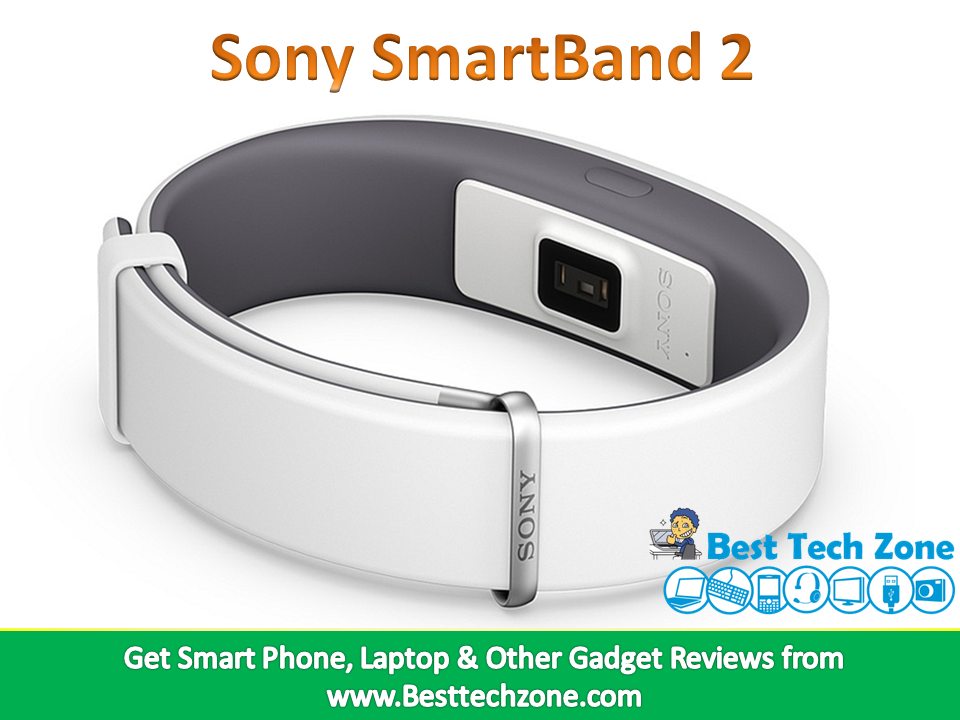
Sony has just launched its second-generation SmartBand – the Sony SmartBand 2 – with a heart rate sensor. As per the Japanese tech firm, the band is a “multi-sensor lifelogger that provides full-scale insights about your fitness, well-being and stress levels.”

Sony SmartBand 2 with heart rate monitoring

The Sony SmartBand 2 in terms of features is nearly identical to its predecessor, and offers health tracking and sleep tracking. The device has the ability to provide sleep insights with automatic sleep detection and the smart alarm clock function, which will gently vibrate to wake the user up. It also gives users notification alerts when they receive a message, call, email, tweet or other notifications on their paired smartphone. The wearer will be alerted via vibrating notifications and pulsing RGB LED lights, as there is no integrated display.

Also, the data captured by the SmartBand 2 gets compiled in the Sony Lifelog app, from where users can see how many steps they have taken, how many staircases they have climbed, what images they have clicked, what places they have been visiting, and how they have been communicating with the world. Handling media playback options are also included. It also alerts users whenever they go more than 10 metres away from their paired smartphone.

Sony SmartBand 2 fitness band

Also see: Android M is Officially Android 6.0 MARSHMALLOW

However, one of the major upgrades in the Sony SmartBand 2 is the inclusion of the heart-rate monitor, which gives ‘meaningful’ insights on the user’s health and stress levels. Sony also says that the band is IP68-certified and water-resistant with immersion up to a 3-metre depth, despite its cap-less Micro-USB port. In addition, the band comes with a new metal clip. The SmartBand 2 is rated to deliver up to 2 days of battery life on a single charge.

The Bluetooth-enabled Sony SmartBand 2 will be arriving in White and Black colour variants. The company would also be launching the band in Pink and Indigo colours in future. The device will launch in 60 countries worldwide for around EUR 119 (roughly Rs. 8,700), starting September this year. The NFC wearable device is compatible with smartphones running Android 4.4, iOS 8.2 or higher versions.

Also see: Intel Compute Stick With Windows 8.1 at Rs. 9,999 in India

“We set out to create the most advanced wearable at this section of the market – Sony SmartBand 2 has the capability to deliver, and make biometric data meaningful for users within Lifelog” said Kaz Tajima, Senior Vice President, Head of UX Creative Design and Planning at Sony Mobile Communications. “Not only does it represent a powerful vision of how consumers can learn more about themselves – it allows us to explore exciting new opportunities with development partners.”
Android M is Officially Android 6.0 MARSHMALLOW

Content in this Article
  1. Android 6.0 MARSHMALLOW

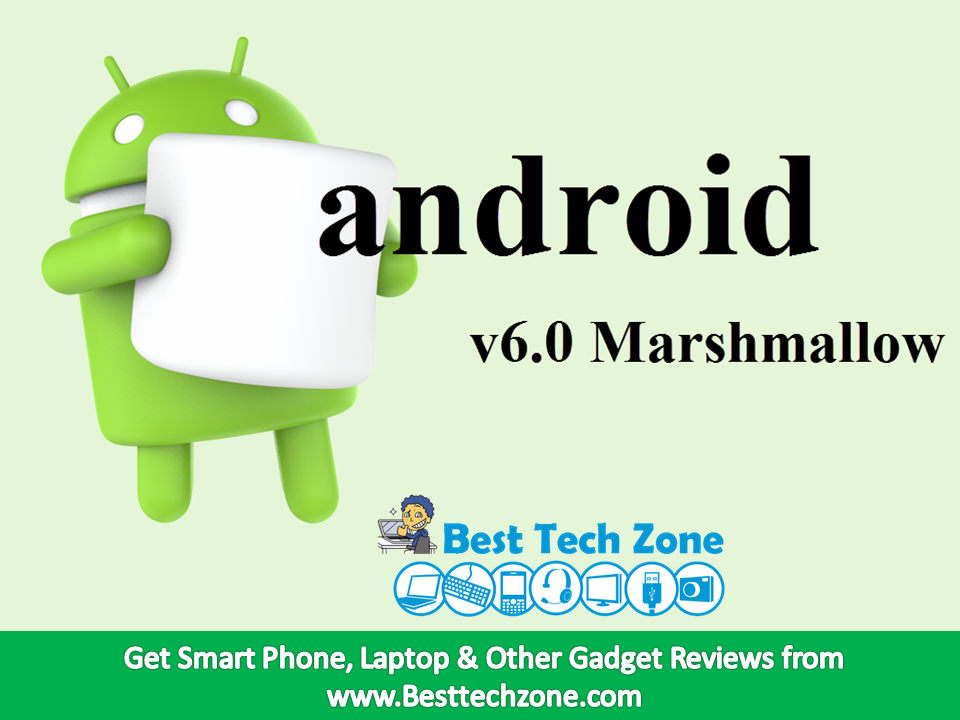
After announcing the Android M in May lots of rumour and speculations started about what M stands for? Finally we have got the answer for it, The next major update to Google’s mobile operating system is called Android 6.0 Marshmallow.

Android 6.0 MARSHMALLOW

Unlike Android Lollipop, which released with a number of enticing features, the Android 6.0 Marshmallow update is largely aimed at delivering stability and performance improvements. However, the update will bring new features like Android Pay, Tap on Now, new app permissions model, built-in support for fingerprint scanner, Web Experience, Android Pay, App links, as well as support for the USB Type-C standard. The new Android update also offers native support for the 64-bit ARMv8 architecture. It also includes a new feature called Doze which is all about the smarter management of power in the device.

Android v6.0 Marshmallow

Also See: Lenovo Unveils PC on a Stick – IdeaCentre Stick 300

The developer preview of Android 6.0 Marshmallow is released for Nexus 5, Nexus 6, Nexus 9 and Nexus Player. The company has also released the “near-final” SDK version of the new operating system for developers. However, Android V6.0 is expected to roll out for public first in Nexus devices later this year.

“Whether you like them straight out of the bag, roasted to a golden brown exterior with a molten centre, or in fluff form, who doesn’t like marshmallows? We definitely like them,” wrote Jamal Eason, Product Manager, Android in the blog post. “Since the launch of the M Developer Preview at Google I/O in May, we’ve enjoyed all of your participation and feedback. Today with the final Developer Preview update, we’re introducing the official Android 6.0 SDK and opening Google Play for publishing your apps that target the new API level 23 in Android Marshmallow.”

Also See: Intel Compute Stick With Windows 8.1 at Rs. 9,999 in India

10 Mind Blowing Facts About Apple

Apple Inc has more money than the whole US treasury. According to Forbes, Apple, Microsoft and Google are the Most Valuable brands. Apple is only company who made the First mass-market digital camera in 1994. The Apple iTunes has over 800 million users, it shows the number of users apple has. Mostly apple users buys apps, songs from the iTunes and hence apple becomes word’s first company which has access to most of the credit cards in world. Let’s begin and Find out some mind-blowing facts about Apple company.

10 Mind Blowing Facts About Apple

1. If Apple Goes on Shopping It Can Buy Facebook, Motorola, Nvidia On Its Own

Apple has a Huge amount of earnings, It can buy Huge social site Facebook, Mobile manufacturing company Motorola which was acquired by Google and Nvidia, Nvidia is the Inventor of GPU, They make Graphics cards for PC and gaming devices.

2. Steve Wozniak Works at Apple and Get $120,000 Per year

First of all Let’s talk about who is Steve Wozniak? With Steve Jobs, Steve Wozniak Co-founded apple computers. Steve Wozniak Designed Apple I and Apple II. He stills Works for apple inactively and Gets $120,000 per year, In Indian rupees its around Rs.7,409,994 per year.

Facts About Apple

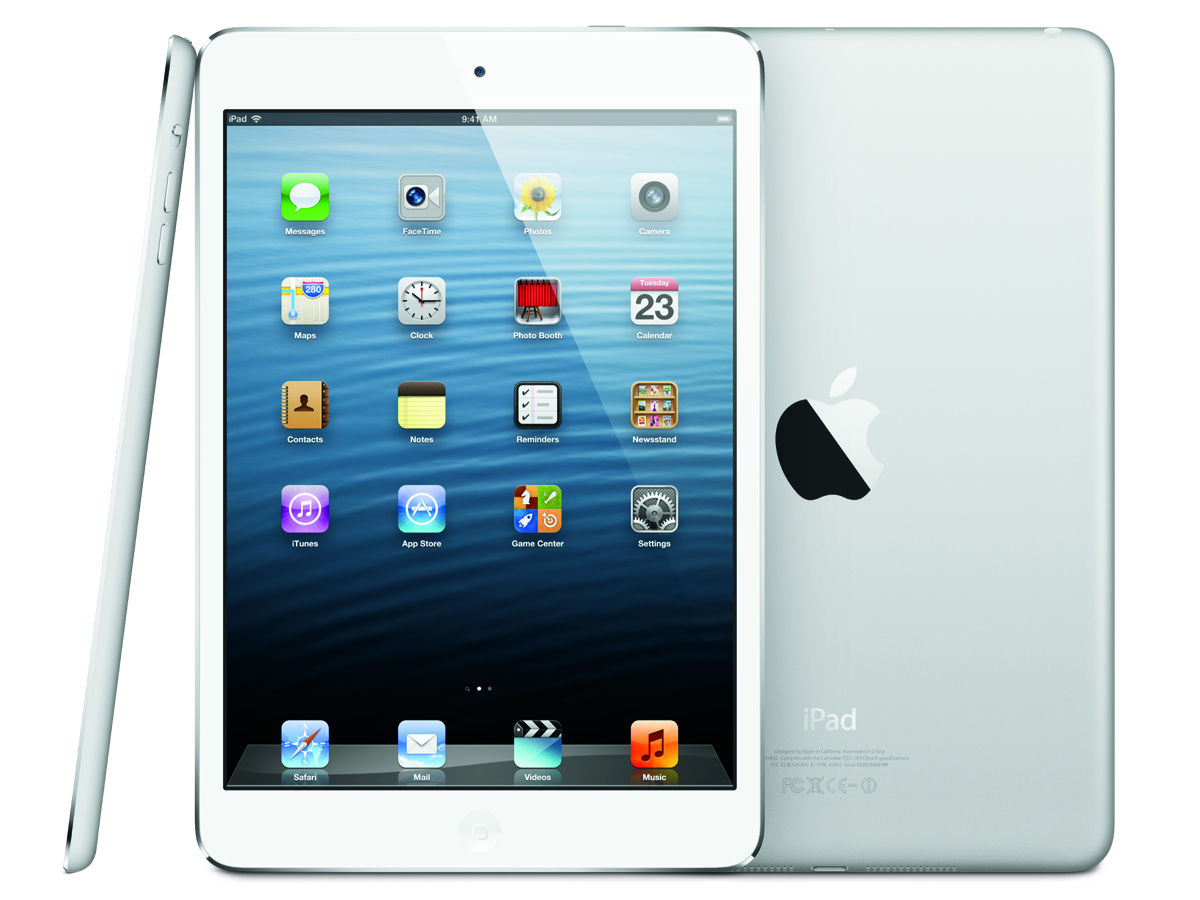
3. Apple has Sold an iPad in Every 3 Seconds

According to sources, Worldwide apple has a Huge consumer base, As a result of that apple sells an iPad in every 3 seconds.

facts of apple company

Also See: 10 Best iphone Keyboard Apps

4.Apple’s Most-Expensive Store Is On Fifth Avenue In Manhattan… And Cost £6.7million ($10million) To Build

amazing facts about apple inc

There are more than 440 Apple retail stores spread across 15 countries worldwide – with the most-expensive built being based on Fifth Avenue, New York.

This store cost more than £6.7million ($10million) to build and is the flagship Apple store – while it is also believed to be one of the most-photographed retail buildings on the planet due to the fact customers queue outside waiting to buy the latest products.

5. Apple has Sold 410,000,000 iOS Devices Till Date

Americans mostly buys apple smartphones because they are cheaper there, not only cheaper but they provide finest consumer support in US. The apple consumers in India are also increasing day by day.

interesting facts about apple inc

6. Apple First Logo

Before the Half Eated Apple Logo, Apple’s old logo has Text of Apple Computers. Below is the old logo of apple computers.

apple-first-logomind blowing facts about apple

Also See: How to Backup iPhone to Mac, iTunes and icloud

7. Tim Cook used to Work at IBM before Apple, He Joined Apple Because of an Enemy at IBM

Tim Cook is the CEO at Apple Inc. He used to work at IBM Headquarters but then Joined apple because of an enemy at IBM.

apple tim cook gay

8. Apple’s Logo is Based on Fibonacci Series

The apple’s looks very simple and easy but you need to about the secrets behind the apple logo. It is made by arcs and circles we use in geometry.

fact about apple logo

9. Apple Can Buy TCS with Its Q3 Profit of December 2014

Apple has huge amount of earnings, with its profit of one month, apple can buy companies like TCS.

tcs campus commune android app

10. iPhones are Second Most Sold Products

After Rubik’s cube, apple iPhones are the most sold products in whole world. Rubik is a 3D Combination Puzzle that was invented in 1974 and we all have play with it once in a life.

rubik's cube formulas

Also See: whatsApp Tricks and Tips for iPhone, Android, Blackberry

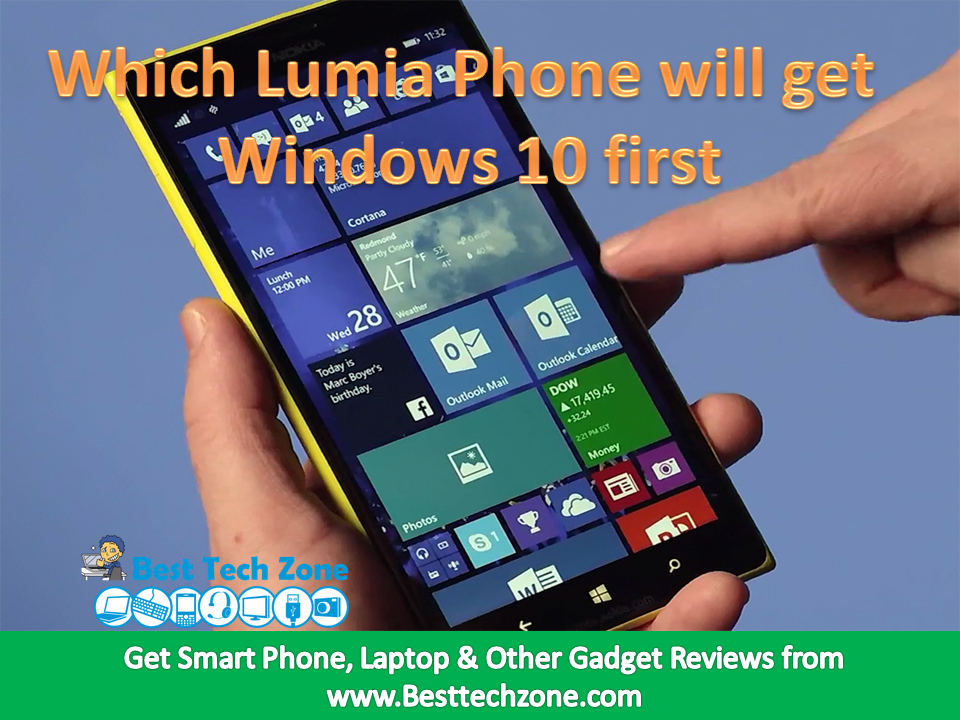
Windows 10 for Lumia: which Lumia Phone will get Windows 10 first

Microsoft released its latest Windows 10 operating system for desktops on 29th July 2015. But the Microsoft company didn’t mention exact release date about Windows 10 for Lumia Windows phones. Recently Microsoft has revealed which Lumia Mobiles will get the windows 10 first. If you are a Windows phone user and if you want to know about is your Lumia phone will be upgrade to Windows 10 or not? read the below article.

Windows 10 for Lumia: which Lumia Phone will get Windows 10 first

It has only been a couple of days since the Windows 10 (Review) launch for desktops, laptops and tablets and Microsoft since then has been under constant spotlight. It on Wednesday also announced that over 14 million people had installed the new operating system, and had launched the new Office Mobile Apps for Windows 10 tablets as well. Now, the Redmond giant has revealed some more details about Windows 10 Mobile, announcing which would be the first Lumia devices to receive a free upgrade when made available.

If you own a Microsoft Lumia 430, Lumia 435, Lumia 532, Lumia 535, Lumia 540,Lumia 640, Lumia 640 XL, Lumia 735, Lumia 830, or Lumia 930, you will be the first among others to experience the new Windows 10 Mobile. Microsoft reiterated all Lumia handsets running Windows Phone 8.1 with Denim update will get upgrade at later stages. The firm points users to how to ensure their phone is updated to Lumia Denim.

Windows 10 for Lumia

(Also see: How to Download and Install Windows 10 Technical Preview for Phones)

Windows 10 Mobile brings an improved Action Centre, new Microsoft Edge browser, and universal apps like Maps, Calendar, and Photos, among others. Cortana would also be featured in the OS, now with cross-platform and cross-device integration stretching to Android and iOS, apart from desktops. Also new, are features like one-handed mode. Notably, Microsoft is still iterating preview builds to Windows 10 Mobile Insiders, and more changes are expected ahead of launch. Previous devices compatible with preview builds include the Lumia 640, Lumia 640XL, Lumia 930,Lumia Icon, and Lumia 1520.

(Also see: How to Download Windows 10 for PC free – 32bit/64 bit)

Although Microsoft has revealed in advance which smartphones would taste the new Windows 10 operating system for mobiles, it has yet to announce the date of its launch. A recent report points towards a November launch, which might also be the same time-frame when the rumoured handsets -Lumia 950 (codenamed Talkman) and Lumia 950 XL (codenamed Cityman) would arrive.

If you like the article ” Windows 10 for Lumia: which Lumia Phone will get Windows 10 first “, share with your friends and feel free to ask doubts.

Intel Compute Stick With Windows 8.1 at Rs. 9,999 in India

Content in this Article
  1. Intel Compute Stick

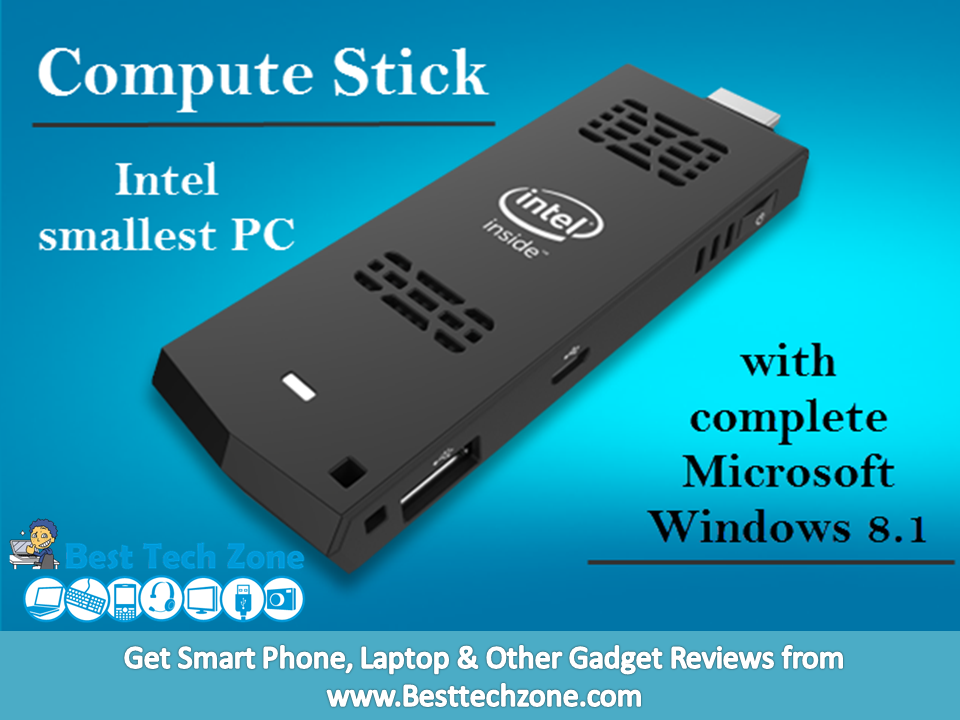
The Intel chipmaker has introduced the Compute Stick mini-PC in India, a complete Windows 8.1 computer that weighs less than 2 ounces and runs applications like Microsoft Office on newer televisions or displays. Intel Compute Stick with Windows 8.1 appears to be identical to the iBall Splendo PC-on-a-Stick, which was launched in June at Rs. 8,999. The Window 8.1 variant of the Intel Compute Stick  is now available via Flipkart at Rs. 9,999. The company has also launched an Ubuntu-based variant of the device, but it’s not available yet and there’s no indication of price.

Intel Compute Stick

The Intel Computer Stick comes with the following specs:

  • Atom Processor; 2 GB of RAM;32 GB of Storage
  • 1US 2.0 port, 1 HDMI connector, 1 microSD slot
  • A power adapter and attachments with a 3 foot cable. An 8-inch HDMI extender cable
  • Built-in 802.11 wireless and Bluetooth 4.0
  • Windows 8.1
  • Size: 3.9 x 1.5 x0.4 inches, Weu=ight 1.9 oz.

Intel Compute Stick

Also See : Lenovo Unveils PC on a Stick – ideacentre Stick 300

The Intel Compute Stick is basically a mini-computer that connects to a HDMI port (like the one on your TV) and was first unveiled at CES 2015. The Intel Compute Stick with Windows 8.1 is powered by a quad-core Intel Atom processor with integrated Intel HD Graphics, coupled with 2GB of DDR3 RAM. It comes with 32GB of inbuilt storage and also bears a microSD card for storage expansion.

In terms of connectivity, the Intel Compute Stick features a USB 2.0 port, Wi-Fi 802.11 b/g/n, and Bluetooth 4.0, and connects to TVs or monitors via its HDMI 1.4a port.

On the launch of the Intel Compute Stick, Rajiv Bhalla – Director, Sales and Marketing – Intel South Asia said: “Intel continues to look for great ways to deliver new product opportunities for our end users and channel partners. The Intel Compute Stick takes computing to the next level and helps deliver the best computing experience possible in an incredibly small device. It brings computing to new devices and environments, transforming the way, when and how we compute. We are extremely pleased to bring this revolutionary device to India.”

How to Reserve Free Windows 10 Upgrade

We are all eagerly waiting for Free Windows 10 Upgrade.  Microsoft already announced that Windows 10 is going to be released on July 29 this year. For getting Windows 10, you have to reserve your copy of Windows 10 upgrade.

But now  the problem is most of the people may don’t know “How to Reserve Free Windows 10 Upgrade”. Don’t worry friends, reservation for windows 10 update is very easy. In order to help you, here we are providing the steps to reserve free windows 10 upgrade for windows 7 and for Windows 8.1 users.

If you are a new user, you will have to pay for Windows 10 but if you own a licensed copy of Windows 7 or 8, then you can reserve your copy of Windows 10 today, and you can download it on launch day.

Windows 10 upgrade is free . The upgrade offers the full version of Windows 10, not simply a trial or limited version. It also ensures that you can run Windows 10 on your specific device for free “for the supported lifetime of your device,” according to Microsoft.

The free upgrade applies only to Windows 7 SP1 and Windows 8.1. So if you haven’t upgraded Windows 7 to SP1 or Windows 8 to 8.1, you’ll have to perform those tasks first. Also, you have one year from July 29 to upgrade your PC to Windows 10 for free. After that year is up, you’ll have to purchase Windows 10 yourself.

Reserve Free Windows 10 Upgrade

How to Reserve Free Windows 10 Upgrade

Reserving your copy of Windows 10 upgrade is simple, just follow these steps to get it done. First though, you need to install the latest Windows updates on your PC.

  1. On Windows 8, you can do this by pressing Windows key+C > Settings > Change PC Settings.
  2. Now click Update and recovery on the left pane. Hit the download or install button to update your PC.
  3. On Windows 7, you can do this by clicking on the Start button, type update in the search box and click Windows Update.
  4. In the left pane, click Check for updates. Now select all updates and click Install updates.

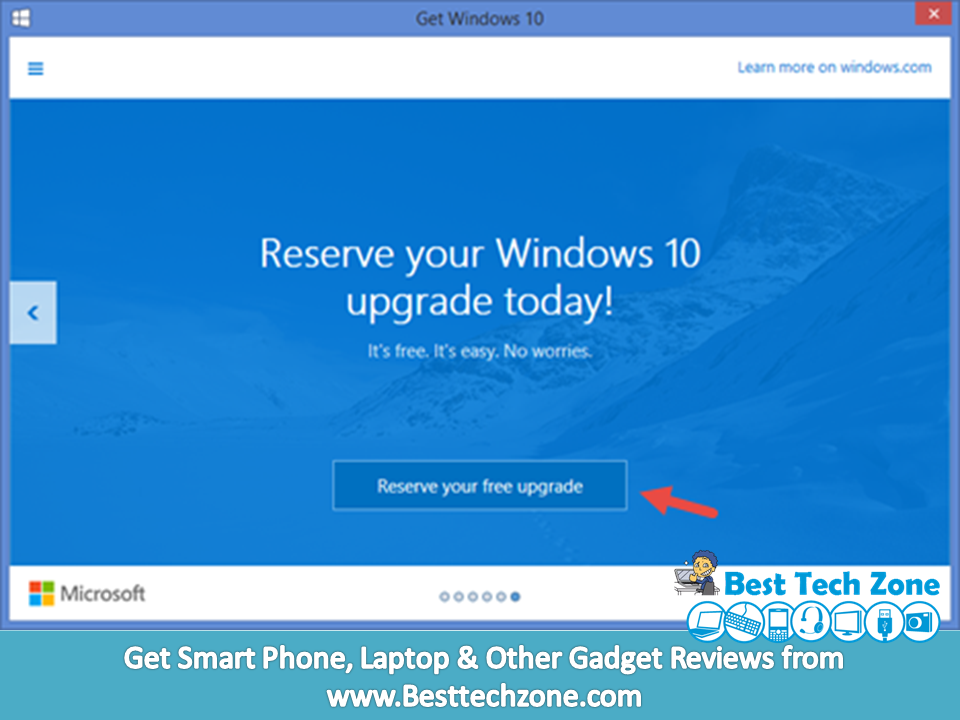
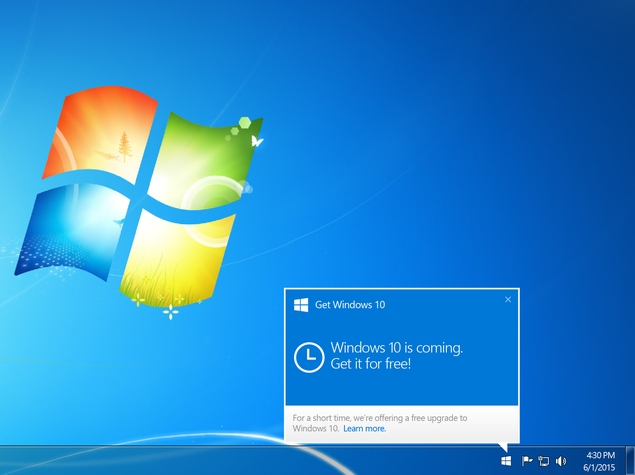
After the updates are installed, the Get Windows 10 app should be installed on your computer. This app lets you reserve your copy of Windows 10. Here’s how.

  1. Click the Windows icon on the system tray.
  2. Click Reserve your free upgrade.
  3. Enter your email address to receive confirmation of your reservation.
  4. Now you’ll see a message that says your upgrade has been reserved. There’s a Cancel reservation button on the bottom left here. You can click that if you wish to cancel your reservation.

If you don’t see the Get Windows 10 app even after installing updates, you can visit the MicrosoftFAQ page for help.

Lenovo Unveils PC on a Stick – ideacentre Stick 300

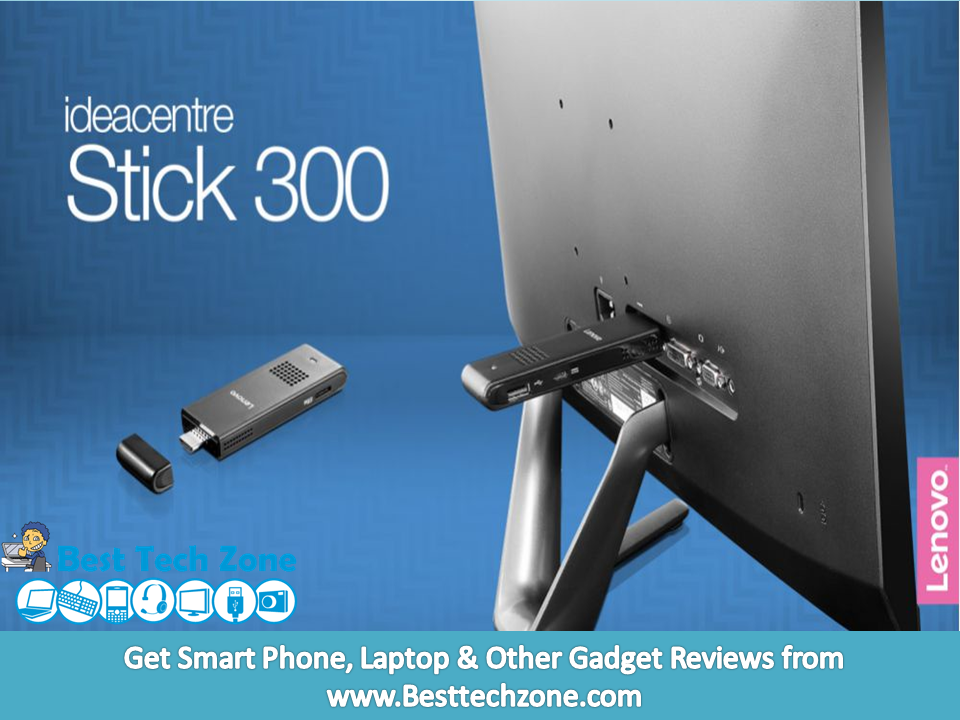
As expected, Lenovo is introducing a brand new PC-on-a-stick device, a new tiny computer called the Ideacenter  Stick 300. Lenovo’s ideacentre Stick 300 is a lot like the iBall Splendo PC-on-a-Stick, but cheaper. The Lenovo iIdeacenter  Stick 300 goes on sale in July for Rs. 8000.

Lenovo ideacentre Stick 300

Lenovo’s new HDMI dongle is basically a PC in stick, and though we’ve seen this type of devices before, the ideacentre Stick 300 price might make it quite attractive. The Lenovo’s ideacentre Stick 300 comes with the following specs:

  • Intel Baytrail Z3735F CPU
  • Up to 2GB of RAM
  • Up to 32GB of storage
  • Speakers
  • WiFI 802.11 b/g/n, Bluetooth 4.0
  • 1 x HDMI, 1x Micro USB 2.0, SD card reader
  • Windows 8.1 with Bing

Lenovo ideacentre Stick 300

The Lenovo ideacentre Stick 300 measures 3.9″ x 1.5″ x 0.6″. Like other PC sticks, it’s designed to turn pretty much any display into a full-fledged Windows computer. Just plug it into the HDMI port on your PC, connect a power source, and then connect a USB or Bluetooth keyboard and mouse and you can surf the web, watch internet video, or play casual games from your couch, set up a cheap PC for your kids, set up a digital signage system, or just have a portable PC that you can stick in your pocket and carry with you on the go. The device has also an SD card reader will help with connecting other devices. Lenovo is also including a 3-month trial of Microsoft’s Office 365 software.

Obviously, this won’t be able to run Crysis, but when it comes to mobility, and getting some office work done, you can’t really beat a device the size of a memory stick.

As noted above the device will originally launch with Windows 8.1 but Lenovo confirmed that users will benefit from the free upgrade to Windows 10, following the operating system’s launch. There’s no clear launch date yet, but the ideacentre Stick 300 will soon be available on Lenovo’s online store.

ALSO SEE