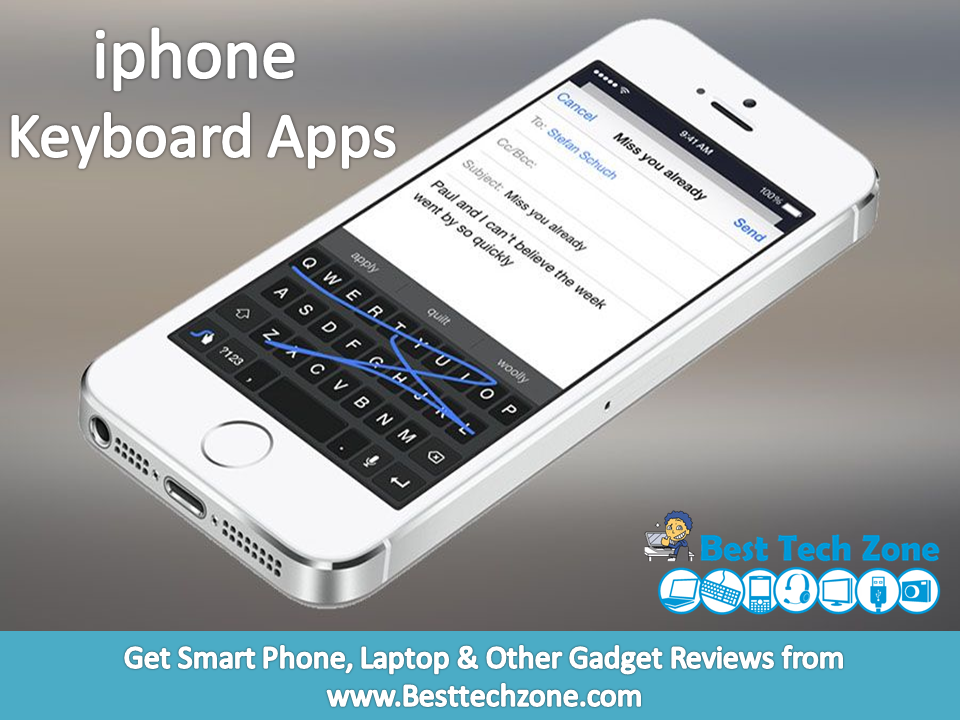
One of the most important uses of smartphones is extensive texting and mailing. The default built-in keyboards that come with iPhones may not necessarily be comfortable or to the liking of all. After years of being locked to Apple’s keyboards, iOS users have been blessed with support for third-party keyboard apps since last year. Apple has just released iOS 8 and with that a large number of third-party keyboards has become available to download on the App Store. One of the new feature of iOS 8 is its support for third-party keyboards, which means you can download and use keyboards from different developers that can feature a different style, look and functionality.
To make it easier for you to know about all the iOS 8 keyboards that are available right now, we have created a list of Best iphone Keyboard Apps 2015, which will help you in choosing the right third-party iphone keyboard App for yourself. Here you can also get iphone Keyboard app free download.
10 Best iphone Keyboard Apps
1. Fleksy
Fleksy was one of the first big-name keyboards to launch in the App Store. It started out free, but then went back to its standard $1 price tag. Now, the keyboard app will finally be free forever to any new users, though there will still be in-app purchases for themes and other goodies. Those who paid for the app will get $8 worth of free themes and extensions as thanks for being early supporters.


Fleksy supports 40 languages including English, French, Spanish, Russian, Arabic, Italian, Portuguese, Turkish, Hebrew, Dutch, and more. Fleksy added multiple themes for iOS 8, so you can personalize your typing experience. More than 800 emoji come with the app, and it also supports GIFs. Fleksy has more than 35 themes for users to choose from, and many of them are free.
2. SwiftKey

SwiftKey is a very much like the Swype keyboard but has a unique look and style. You can type in words by swiping your finger across the keyboard, reaching keys. It also displays a suggestion bar that also learns from you. A very nice feature of this tweak is that it allows users to simultaneously type in two different languages without changing any settings. SwiftKey currently supports six languages including English, Portuguese, French, German, Italian and Spanish. It is available for iPhone, iPad and iPod touch running iOS 8 and can be downloaded for free.
3. Swype

When it comes to third-party keyboards Swype is a more familiar name than any other options mentioned here. It has been available for other platforms for years and now it has finally arrived on iOS. As its name suggests you can input words by swiping your finger on the keys. Once you get used to using Swype it can make typing faster and easier for you. Swype for iOS learns from usage and gets smarter as you use it. It also offers 5 themes that make the iOS keyboard more beautiful than ever. Swype supports multiple languages including English, French, Spanish, German and Italian. You can get Swype for $0.99 for your iPhone, iPad and iPod touch.
Also Read: 5 Best iPhone Backup Apps for iOS Users
4. HangKeys
Remember playing hangman with your best friend during boring classes at school? Well, now you can do it on your phone, instead of in your spiral notebook. A new keyboard app called HangKeys lets you play hangman with your friends in any messaging app.


You simply create the puzzle, and send it to your friend. If they guess wrong, they’ll earn a body part in the message thread, just like they would on paper. If they get it right, they’ll continue on without penalty. Theoretically, you could play hangman in group chats with your friends. Imagine the possibilities! HangKeys is available on the iOS App Store for free.
5. Minuum

The Minuum keyboard for iOS tries to minimize the real estate the keyboard takes while giving users more control over features like autocorrect. It features two different modes, one is the usual qwerty mode while other is the mini mode, which are interchangeable with a swipe up or down. The full keyboard features a simple whitish design and a dedicated suggestion bar that learns from user’s inputs. The mini keyboard mode saves the screen size so you can see more. See Minuum in action in the demo video below. You can download it for $1.99 for your iPhone or iPod touch.
6. TouchPal

The TouchPal keyboard is unique as unlike other keyboards it allows users to type in whole sentences without lifting their finger, in a continuous swipe. It packs ‘mind-reading prediction’ feature that predicts what you are going to type next. TouchPal also learns your writing style that helps it in making the predictions. It includes a number of themes allowing users to personalize their device’s keyboard. You can get TouchPal for free from the App Store. It supports both iPhone and iPad.
Also Read: How to replace iPhone 5s Battery
7. TextExpander

The TextExpander keyboard for iOS expands the functionality of the iOS keyboard by allowing users to enter shortcuts through frequently used text, for example you can enter a frequently used longer message by simply typing a short word instead of typing the whole message manually. The keyboard has many features such as ability to correct typos automatically, insert date using short “ddate” (among other things), add predefined groups for autocorrect, accented words and more. You can download TextExpander for $4.99 for both iPhone and iPad.
Download TextExpander Keyboard
8. Gif Keyboard
Not sure how to express yourself in any other way? Say it with a GIF. Thanks to Riffsy, there’s now a keyboard app for iOS 8 users that lets you communicate only in GIFs. The GIF Keyboard lets you search through millions of animated GIFs, some with music, and some without. The GIFs are separated into categories for those of you who don’t have a particular one in mind.


You can copy and send the GIFs directly in Apple’s Mail and Message apps, but you can also send links to the GIF of your choosing as a link in WhatsApp, Facebook Messenger, and other apps. You can use the GIF Keyboard alongside all the other keyboards mentioned below. The app is free on the App Store.
9. Emoji Keyboard by Line
Line has released its own iOS keyboard, so you can converse using many of the stickers commonly used in its messaging app, including those featuring the Cony and Brown characters.


The keyboard is free to download and contains 3,000 different stickers and emojis — both static and animated — which are selected, and then pasted into an iMessage. Sadly, at this time, there’s no option to import sticker packs purchased through the Line messenger app for use with the keyboard. You can pick up Emoji Keyboard by Line through the iTunes App Store.
Also Read: How to Light Up Apple Logo of Your iPhone Like a MacBook
10. Themeboard
While many of these iOS 8 keyboards may offer advanced prediction technology, suggestions, and support multiple languages, not all of them offer that many themes. Taphive’s Themeboard keyboard for iOS lets users choose from themes created by leading designers. Many of the themes are free, but some of the fancier ones will cost you a $1, and theme packs are typically priced at $2. Themeboard only gives you a small selection of themes to choose from at first, but it will let you unlock others, like the special Christmas keyboard with a single tweet. The app also lets you check out themes by designer, so if you really like the way one designer thinks, you can see all their themes in one place.


In addition to looking pretty, Themeboard’s keyboard can predict what you’ll type, auto capitalize, correct errors, show suggestions, and so on. There’s also a handy emoji bar on top that you can customize with your favorite emoji in settings. It also supports a few languages, including English, German, Japanese, Korean, Polish, Simplified Chinese, Spanish, and Traditional Chinese. You can download it for free from the App Store.
If you feel that, the article “ 10 Best iphone Keyboard Apps ” is helpful to you, you can share it with your friends.