We have a lot of important stuff which we save in the form of files in our digital devices like Apple Macbooks, Apple ipad and even our iphones. That is why backing up the data is extremely important. In case of any mishaps like freak accidents or thefts which test the sensitivity of your data, the backups you keep will be very helpful in regaining access, to help this cause, many app developers build what we call backup apps for iphone devices.
Picking up the best iphone backup Apps is a little bit difficult task because we have less information available about iphone backup apps. If you are unable to choose which is the best one, Don’t worry friends, we are always there to help you out. Here we are providing a list of 5 best iphone Backup Apps which will backup your data to Google, icloud or to sd card. We can backup Contacts, Messages, Documents with the help of these iphone backup apps.
5 Best iPhone Backup Apps
1. Easy Backup
Easy Backup App help you to keep valuable contact information. It does cost some money for each backup but it is worth it especially if you have a lot of people, names and businesses to backup. More than that, you might keep all backups on Easy Backups. You will have a clear evidence with this app that every month your contacts are safely kept.

2. Contacts Sync
It is a small, fast app with you can syncing your iPhone contacts into a free online account. To get started, it is mandatory to create an account with my.memova.com. This application is small, simple and usage is easy. Online storage is limited to 1000 contacts in the free version. If you have more contacts, you need to upgrade.

3. My Contacts Backup
It is a simple app that does what you need to do. You will be maybe surprised because it is not a fancy app, it just gets the job done.

4. iDrive Lite
iDrive Lite it is used for contacts backup. Besides backing and restoring, you can share the contacts on multiple devices and platforms. You have the opportunity to sign up for free account before using this application. Contacts can be managed online through their website. If you have more friends and you use the iDrive, the app let you share contacts between different IDrive accounts.

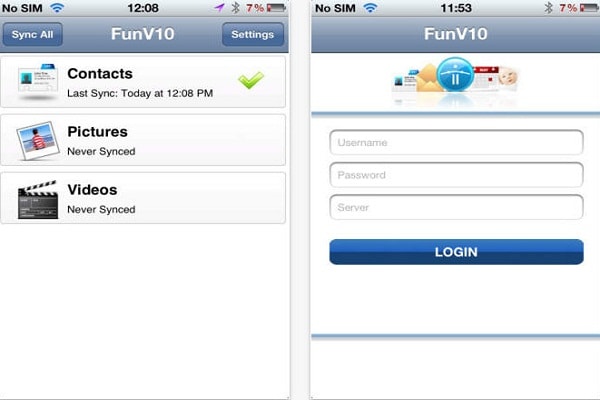
5. FunV10
The app will sync your data, but first you need to begin with the e-mail on your computer. You can use AOL. On the Address Book screen select Address Book Options and select Sync. You will have to register the device. Then you will receive furture guidelines. This app is for users connecting to legacy or derived versions of the Funambol server, like AOL.