
Do you want to buy a new Laptop? Buying a new laptop or desktop PC can be quite confusing. After all, there are so many factors to consider, including size, features, performance, ease of use, and more. But there are some common factors you should consider, regardless of what kind of laptop you are searching for. There are so many new Laptops recently released in 2015. However, here we are providing 10 things you should consider before buying a New Laptop. Read the below checklist and buy a best new Laptop that suits for you.
10 Things to Look for Buying a New Laptop
1. Size: If portability is your main concern, then you need to consider a notebook that has a small-ish screen and a light weight. Any laptop marketed as an Ultrabook should fit your bill here, as they are designed to be slim and light. More to the point, though, look for a laptop with a screen that’s 12.5-13.3 inches in size, and a weight that is from 1-1.5kg.

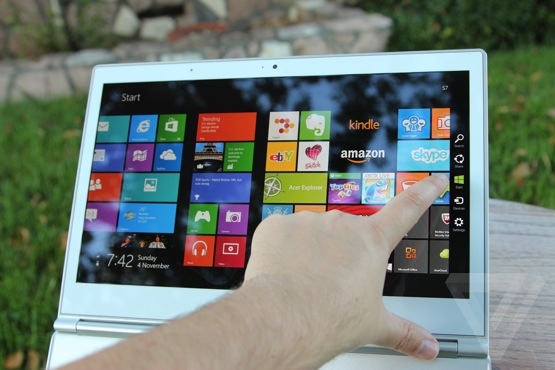
2. Screen quality: You’ll be staring at your laptop for many hours every day, so you want to make sure you get a screen that is comfortable to look at. Many laptops these days also have touchscreens, which means they are glossy. Glossy screens lead to reflections, so consider a laptop that doesn’t have a touchscreen.
Next, look at the resolution. A 1920×1080-pixel resolution (aka Full HD) should be considered if you want plenty of space to line up windows and keep things in view. Finally, the viewing angles are extremely important. A laptop screen that touts IPS (in-plane switching) technology offers the widest viewing angles and the best user comfort.
Try not to buy blind. If possible, go into a store and see the screen for yourself. Otherwise, rely on multiple reviews to get a good overview of the product.
3. Keyboard Layout: Keyboards vary slightly in both their layout and their construction. Some keyboards have flat keys with no space between or beneath them to collect dirt. Some people love flat keys, but others prefer more traditional keyboards. Keyboard type is a relatively minor consideration most of the time, but some people have definite preferences. Switching to a keyboard with a slightly different layout could cause a lot of typing mistakes during the adjustment period, a drawback that may or may not be worth it.

4. Processor: It’s hard to go past any of Intel’s Core-based CPUs when buying a new laptop. Think Core i3, Core i5, and Core i7. These CPUs offer the best performance when it comes to multitasking and multimedia tasks. Core i3-based notebooks are generally found in entry-level systems, while Core i5 makes up the majority of mainstream computers.
Core i7-based systems are for those of you who want the best performance from your laptop. However, note that with a Core i7-based system, heat coming through the base of the laptop can be cause for concern, especially if you plan to actually use the laptop on your lap a lot of the time.

5. RAM: You need 4GB of RAM or more to get the best out of your system. More RAM allows for more applications to be run at the same time, and for more data to be quickly accessible by the system at any one time, which comes in handy for tasks such as editing photos.
6. Hard Disk: Hard drives used to be all the rage, but these days they are mostly out favour, especially for thin and light laptops. This is because they can be slow, somewhat bulky, and produce noticeable heat and noise. A solid state drive (SSD), on the other hand, offers a lot more speed than a hard drive, runs silently, and can be installed in a form factor that doesn’t add too much to the weight and bulk of a laptop.
The only problem is that SSDs don’t offer as much capacity. You’ll be stuck with a drive that’s either 128GB or 256GB in size, and even then, laptops with 256GB SSDs are pretty expensive. Stick to a 128GB SSD for your new laptop, though, and you’ll love the speed with which it can load programs, access your data, and also how quickly it can boot up your system (it takes under 7 seconds for some Windows 8 systems).

7. Battery life: Manufacturer-quoted battery life is often not indicative of what a laptop can do, and this is based on the many variables that affect battery life. These are the screen brightness, the screen resolution, and the tasks that you run. If you run programs that need lots of processing, or if you stream lots of online video, or if you transfer lots of files over your wireless network, then your battery will drain a lot sooner than what the vendor has quoted.
Look at the rating of the battery in Watt-hours (Wh) or milliamp-hours (mAh). The larger these figures are, the longer the battery can last. For a 13.3in Ultrabook, for example, a battery with a rating from 44Wh to 50Wh will give you the best results.
8. Wireless networking and Bluetooth: This is something that can be often overlooked when buying a laptop, but considering that most laptops rely on an Internet connection for the majority of their tasks, it’s an extremely important feature. At the very least, you need a laptop that has a dual-band Wi-Fi adapter. This will allow you to use the laptop with a dual-band router’s 5GHz network, allowing it to work quicker and perhaps segregating it from other devices on your network that use the 2.4GHz network.
For those of you who want the fastest networking, get a laptop with an 802.11ac wireless adapter (some laptops come with an Intel Wireless-AC 7260), which can work with the latest range of 802.11ac routers that have hit the market recently. Using 802.11ac, your file transfer rates will be able to hit speeds over 30 megabytes per second (MBps), and in some cases even approach 40MBs. This is beneficial when you want to transfer video files to your laptop before going on a trip, for example.
Also look for Bluetooth 4.0. Bluetooth isn’t only handy for connecting to wireless mice and keyboards, it’s also awesome for connecting to a Hi-Fi system wirelessly. We use Bluetooth all the time to play music through a stereo system from our laptop. This is music that’s either stored locally or streamed from Google Play Music or online radio stations while we work.
9. Ports
Many users assume that any modern laptop computer has numerous USB ports, as well as VGA, DVI, serial, and parallel ports. Those same users may learn a painful lesson; increasingly, in another effort at managing costs, laptop manufacturers are reducing the number of ports found on their PCs.
Budget notebook computers often ship with only a pair of USB ports, with no serial, parallel, or DVI ports and only a single VGA port (if a video port is even included). When purchasing a laptop, review the model’s technical specifications and make sure that the chassis includes the ports you require. While most PCs now include integrated wired NICs, they don’t always have PC Card slots, so that’s an additional factor to consider before purchasing a new unit.
10. Warranty
Warranty makes up the most important consideration for people when buying a system. Having one covered with the right kind of hardware warrantee is essential and should be unconditional. I still remember when Sony had to recall several Laptops due to a battery fault because of which their Laptops caught fire. I’m sure none of us would like to have a Laptop that we can fry omelets on without the guarantee of replacement.
There are some other things you have to consider before you buying a new Laptop. But you have to give first preference to these above 10 major things.