
Linux isn’t a complete operating system — it’s just a kernel. Linux distributions take the Linux kernel and combine it with other free software to create complete packages. There are many different Linux distributions out there.
If you want to “install Linux,” you’ll need to choose a distribution. You could also use Linux From Scratch to compile and assemble your own Linux system from the ground up, but that’s a huge amount of work.
There are many Linux distributions available for a number of different purposes, which makes it difficult to choose at times. Here we are providing a list of Best Linux OS to help you decide.
Top 10 Best Linux OS for 2015
1. Ubuntu
It isn’t the first distro designed for inexperienced Linux desktop users, but it’s inarguably the most well-known. The distro has several innovative features, including the Unity desktop – which everyone loves to hate.
Then there’s the cross-platform and cross-device Ubuntu One cloud-sharing and file sync service, which offers 5GB of free storage space. For adding software, there’s the Ubuntu Software Center.
The distro has one of the easiest installation mechanisms. It doesn’t include proprietary codecs by default, but you can include them during installation, simply by clicking a checkbox. The distro is released twice a year with regular Long Term Support (LTS) releases that are supported for five years. Because of its amazing features it is placed in Top 10 Best Linux OS list.

Verdict: As Unity becomes more usable, Ubuntu will continue to take the fight to proprietary desktops.
Here we are providing the Download link of Linux Ubuntu operating System.
Click here : Download Ubuntu OS
2. Linux Mint
Since it’s 2006 debut, Linux Mint has slowly been crawling up everyone’s list of favourite desktop distros. One of the major reasons for the distro’s success is that, despite being based on Ubuntu, its default desktop is much more traditional than Ubuntu’s controversial Unity interface.
Linux Mint offers users a choice of two Gnome-based environments, which it has dubbed Mate and Cinnamon. Mate is designed to be a faithful continuation of the out-dated Gnome 2 desktop. Cinnamon is a more modern affair, with a neat menu that gives access to all the system’s settings and applications in one place.
The distro is also pre-loaded with a full complement of audio and video codecs, and has an impressive Software Manager. Because of its Extraordinary features it is placed in Top 10 Best Linux OS list.
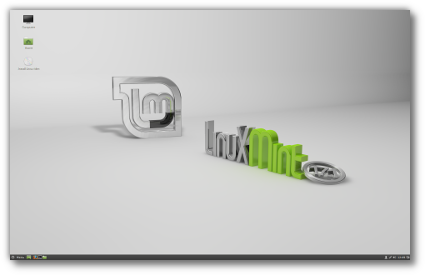
Verdict: A simple to install and polished desktop that works out of the box. Ideal if the divisive Unity rubs you the wrong way.
Here we are providing the Download link of Linux Mint operating System.
Click here : Download Linux Mint OS
3. Sabayon Linux
The Sabayon project aims to give regular desktop users a taste of the Gentoo distro. It’s a feature rich and complete desktop distro built on a stable and mature foundation.
The distro has everything a regular desktop user needs, including all sorts of codecs and plugins. Besides the usual slew of apps, it also has the XBMC media player and Wine for running Windows apps.
For managing packages, there’s the custom Rigo app browser. It’s a graphical front-end to Sabayon’s Entropy package management system and mimic’s the appearance of the Google search engine. The app is simple to use and very verbose. Instead of displaying cryptic messages, it converses with users in plain English.
The distro has different spins around all the major desktops, including Gnome, KDE, Xfce and Mate. Also, the distro doesn’t ship a stock Gnome release. It’s made some tweaks – for example, to show minimise buttons – to maintain consistency between the editions. You’ll find other desktops, such as Cinnamon and Razor-Qt, in its official repos.
Additionally, there are also several special flavours that serve specific purposes, such as the minimal CoreCDX, and the HardenedServer based on a Gentoo Hardened kernel, for instance.
Although Sabayon is a rolling distribution, the developers have tweaked it to make the experience easily digestible for new users. Installation is handled by the re-branded Anaconda installer created by the Fedora distro. Also, the 64-bit images of newer versions are bootable on SecureBoot-enabled systems.
On the distro’s website, you’ll find lots of documentation relevant to a first-time user, including a step-by-step installation guide, and a detailed FAQ. Because of its amazing features it is placed in Top 10 Best Linux OS list.

Verdict: The distro delivers all the power and slickness of Gentoo in a well-rounded and pleasingly user-friendly desktop package.
Here we are providing the Download link of Sabayon Linux operating System.
Click here : Download Sabayon Linux OS
4. Rosa
The distro is developed by the Moscow-based Rosa Labs that had worked on Mandriva’s last release. Rosa then forked Mandriva into a distro of its own.
Their main focus is the KDE desktop, but the distro also puts out Gnome-based spins a few months after the KDE release. What sets Rosa apart from other Mandriva-based distros are the custom tools that make their KDE desktop unlike any other. They have a custom launcher and their own kickoff menu, which looks similar to Unity’s Dash and Gnome 3’s Activities menu.
In addition to the redesigned desktop, the distro also has a bunch of functionality improvements. The TimeFrame tool uses KDE’s Nepomuk to visualise all your files, video, and music in a unique and appealing manner. The newer versions of the tool also support social networks, such as Facebook. Because of its extraordinary features it is placed in Top 10 Best Linux OS list.

Verdict: Try it for the customised KDE desktop.
Here we are providing the Download link of Rosa Linux operating System.
Click here : Downlaod Rosa Linux OS
5. Knoppix
Long-time Linux users fondly remember Knoppix as the first Linux live CD. The distro includes all kinds of open source software from Debian stable, testing and unstable repos. The distro is available in two versions – the Live CD image provides over 2GB of software and the DVD image manages to squeeze in well over 8GB of software.
In fact, it’s the only live distro that contains three desktop environments – LXDE (default) as well as Gnome and KDE. On top of that there’s also an officially supported variation intended for visually impaired users, that can also be used by computer newbies. Because of its amazing features it is placed in Top 10 Best Linux OS list.

Verdict: No one does a better job of showing off the best of open source software.
Here we are providing the Download link of Knoppix Linux operating System.
Click here : Download Knoppix Linux OS
6. Korora – best linux os
Initially based on Gentoo, it now uses Fedora as its base OS. It ships separate Gnome and KDE editions. The developers have taken time to clean the KDE menus and bundle the Gnome extensions tool in the Gnome-based spin. – best linux os
The distro has full multimedia support, and enables third-party repos such as RPMFusion, Google Chrome, and VirtualBox. The newer releases of the distro ship with the Steam client.
Korora also has a few custom tools such as the useful undistract-me utility that pops a notification when a terminal command has completed. Because of its extraordinary features it is placed in Top 10 Best Linux OS list.

Verdict: The most desktop friendly Fedora distro.
Here we are providing the Download link of Koror Linux operating System.
Click here : Download Koror Linux OS
7. Netrunner
It’s a major surprise that this distro lies so low in DistroWatch’s popularity table. If you haven’t heard of it, think of Netrunner as Ubuntu without Unity.
Netrunner is based on Kubuntu, but that doesn’t mean it’s just another Ubuntu-based distro that has slapped KDE instead of Unity. The distro offers its own cloud service called Runners-ID (built on top of the open source ownCloud server). The service is integrated into the distro and offers 5GB of free space, which you can use to store data, pictures, contacts, calendars and stream music via its Android app. Sounds familiar?
There’s more. The distro also integrates web apps, such as Cut The Rope, Google Docs, Facebook, and more, on the desktop. When you sign into your online accounts your data is accessible to local apps such as Kontact and Dolphin.
One interesting web app bundled in the distro is JacknJoe. It’s a web-based application store that houses all the popular open source apps and games that you can install with a single click. The distro also bundles proprietary apps such as Skype, Wine for running Windows software, and all sorts of other handy audio and video codecs and plugins.
Help on the distro is dispensed via online forum boards on its website. Here, you’ll also find some video introductions to the distro’s unique apps and screencasts on common tasks. The developers behind the distro also publish an online magazine called Netrunner-Mag.
The distro is supported by Germany’s Blue Systems, which has several KDE developers on its payroll.

Verdict: Ubuntu-like features on a Kubuntu-based distro.
Here we are providing the Download link of Netrunner Linux operating System.
Click here : Download Netrunner Linux OS
8. Mageia
Mandrake Linux was the first Linux distro designed for the every day user. It’s been through many incarnations, and its last avatar forced long-time community members to fork the distro.
The RPM-based distro is now called Mageia, and is backed by solid community infrastructure. It offers both KDE and Gnome desktops, and between the project’s three repos you’ll get all the software you need. Its installer is easy to navigate and several screens have the Advanced button, which brings up more options for experienced users.
The most distinct feature of the distro is the Mageia Control Center, from where you can tweak almost all aspects of the system.

Verdict: The community fork builds on the solid foundation, and is an able distro for every day use.
Here we are providing the Download link of Mageia Linux operating System.
Click here : Downlaod Mageia Linux
9. PCLinuxOS
This distro started as a repository to improve a stock Mandriva release, and later forked into a distro of its own. PCLinuxOS is officially a KDE distro, but also has community spins around the LXDE, and Xfce desktops.
The distro can play all sorts of multimedia. It uses apt-rpm and the Synaptic Package Manager to install RPM packages. Its configuration tool and installer clearly give away its Mandriva lineage. The distro includes an illustrated installation guide, and also produces a monthly magazine for its users.

Verdict: Think of it as being something like Mageia with multimedia codecs.
Here we are providing the Download link of PCLinux operating System.
Click here : Download PCLinuxOS
10. Chakra
It’s arguably the best-looking KDE desktop distro, and it will work for most users straight out of the box. The distro was originally based on Arch Linux. It’s a half-rolling release that, by its own admission, is meant for users who don’t shy away from the CLI.
At the moment, its package manager is still under development, but it has an impressive fallback in the form of a bundles manager. The bundles are self-contained packages of popular apps that can be installed with a single click.
Installation is handled by its custom installer, that uses the KDE Partition Manager for partitioning the disk. It also has an impressive first-boot personaliser app. Because of its amazing features it is placed in Top 10 Best Linux OS list.

Verdict: A very pleasing KDE desktop that helps you customise your working environment.
Here we are providing the Download link of Chakra Linux operating System.
Click here : Download Chakra Linux OS
One thought on “Top 10 Best Linux OS Distros for 2015”