Best Android Backup Apps : Don’t Lose Your Data

We have a lot of important stuff which we save in the form of files in our digital devices like laptops, Android tablets and even our Android smartphones. That is why backing up the data is extremely important. In case of any mishaps like freak accidents or thefts which test the sensitivity of your data, the backups you keep will be very helpful in regaining access, to help this cause, many app developers build what we call backup apps for Android devices.

There are tons of Android backup Apps are available. If you are unable to choose which is the best one, Don’t worry friends, we are always there to help you out. Here we are providing a list of 10 best Android Backup Apps which will backup your data to Google, Cloud or to sd card.

Best Android Backup Apps

1. Titanium Backup

Android Backup Apps

Titanium Backup will need very little introduction and especially for those out there who are rooted. As the name does suggest, this app does require your device to be rooted. In spite of that automatically ruling out a majority of the market, this app does need to be included as it is a saving grace to those who are rooted. Titanium is a one stop shop for backups, which backup all your apps and data in a very effective way. Restoring data and apps, is just as easy with the ability to restore all apps and data at the same time, or on an app-by-app basis. A must have app for those who are rooted.

Download Titanium Backup

2. Easy Backup & Restore

Android Backup Apps

While some apps on this list will only allow for the backing of apps, Easy Backup & Restore allows for the backing up of a much wider degree of content. In fact, with this app you can easily backup apps, SMS, MMS, call logs, calendar information, bookmarks and contacts. All information can be saved to either the SD Card directly or to any cloud-based service like Dropbox, Google Drive or OneDrive. Great all-in-one solution for those that need it.

Download Easy Backup & Restore

3. App Backup & Restore

Android Backup Apps

Kicking off today’s list in App Backup & Restore. If you are in the market for an app backup service then this one will do just that. App Backup & Restore allows for directly copying and saving of apps to the external SD card and therefore keeping them safe for when you need them again. When the time comes for restoring, the apps can again be restored directly from the SD card without too much trouble. It is worth noting though, this app only backs up the apps (APK’s). This app will not backup the data for those apps.

Download App Backup & Restore

4. Helium – App Sync and Backup

Android Backup Apps

Helium is by known root developer Koush and as such will immediately come with a good endorsement from many rooted users. However, unlike Titanium Backup, you do not need to be rooted to use this app. Whether rooted or not, users can employ Helium to help them easily backup their apps and their app’s data. If you are rooted, then the app will work much like Titanium, while if you are not rooted you will also need to download the desktop client which will help in backing up your device remotely. The other added benefit of the desktop client is that you can easily restore your apps and data to other android devices as easily as on the origin device.

Download Helium – App Sync and Backup

5. My Backup

Android Backup Apps

My Backup is probably one of the most famous backing up tools available for android devices and as such has been downloaded a bunch of times. Not to mention that this app is one of the more polished apps out there. In contrast to the previous apps, My Backup is probably one of the apps which offers the biggest choice of content which can be backed up. In fact, this app will pretty much backup anything you want it to. Backups can then be stored locally or again using cloud-based services, with support for a whole host of cloud options. A real good and polished all-in-one option for those that want it.

Download My Backup

6. Super Backup : SMS & Contacts

Android Backup Apps

Super Backup is another quick-fix solution for all-in-one backup needs. With this app, you can once again back up a number of data options including apps, SMS, call logs, calendar information, bookmarks and contacts. Once again, the backups can be stored locally on your device’s external or internal storage. This app will also offer the ability to backup app data too, although this feature will require you to be rooted.

Download Super Backup

7. Mobile Backup & Restore

Android Backup Apps

If you are looking for a very reliable option for you backing up needs, then this might be the app for you. Mobile Backup & Restore is brought to you by Avast (the antivirus guys) and as such offers a very safe and reliable solution for data backup and restore. As you would expect, with this app you can backup a good variety of content although some of the media based content like apps, music and videos does require the premium (paid) version to be installed.

Download Mobile Backup & Restore

8. Backup Your Mobile

Android Backup Apps

If you are less concerned about backing up apps in particular and more interesting in keeping the more detailed elements of your android device safe and secure than Backup Your Mobile might be the right option for you. This app allows for backing up of a large selection of non-app data including Contacts, SMS, MMS, call logs, system settings, passwords, calendar events, bookmarks and browser history. If you do want you apps backed up too then don’t worry this one will back them up as well. Once again, backups and restores can all be performed using your favorite cloud service.

Download Backup Your Mobile

9. CM Backup

Android Backup Apps

Finishing up today’s list, a great option for those who are used to Cheetah Mobile products. This is the same company who brought you the device clean-up tool Clean Master and also the lightweight and intuitive browser option, CM Browser. Like those products, CM Backup is designed to unite your device with the company’s inbuilt cloud service. As such you can back up all the data options you would expect and can store them securely on the CM cloud. One of the benefits of this is that you can view your content online from a desktop, as well as send to other devices if you need. Great option for those who want access to their backed up content without having to actually restore the data locally.

Download CM Backup

10. truBackup – Mobile Backup

Android Backup Apps

While some of the other app offerings come with a more complex looking and detailed interface, truBackup is much more user-friendly. With this app, the energy is very simple and allows for quick backing up and restoring as well as transferring between devices. As you would expect, you can back up a selection of content including SMS, contacts, photos videos and audio. This app will also allow you to backup your apps although this one does not offer the option for backing up app data.
Download truBackup

ALSO SEE

How to make Whatsapp Faster?

Is your Whatsapp messenger running slow in you rphone? Are you surfing for “How to make Whatsapp Faster on Android phone / on iphone?”. Then you have landed at right place.

Earlier SMS was the main medium for communication among users. But the Smartphones has updated it with many Instant Messaging Apps. Among the number of apps, WhatsApp is the most used and most popular messaging App globally with more than 800 Million Active Users.

But, What if this instant messaging app does not stand on its own terms? What if it stops working or it takes time to load, send and receive messages? This may happen because of excessive data traffic which is very common now-a-days.

So, to avoid this lag and enjoy uninterrupted texting with your loved ones, Here we are giving some Tips which will make your WhatsApp work faster without any lags.

How to make Whatsapp Faster?

1. Deleting Messages and Data :

As we know, WhatsApp is not restricted with Text messages only, we can send and receive audio, videos and photos. One of the basic reason WhatsApp gets slow is due to its messages and data only. Number of videos and photos are shared online daily which gets stored in the WhatsApp memory. When number of messages and media gets stored, it takes a lot of time to load, process and open your WhatsApp. So, the very basic thing you can do to make whatsapp faster is delete unwanted messages and clear the media such as videos and songs. This will free up some memory of WhatsApp and it will load WhatsApp faster than before.

How to make Whatsapp Faster

2. Clearing Cache and Optimizing RAM :

With so much texting happening over the WhatsApp daily, lots of data gets stored. This builds up the cache memory which stores the temporary files. This uses the RAM and makes the processing slow. This cache should be cleared on a regular basis so as to avoid extra junk getting stored. To clear the cache, you can navigate to the Application Manager and clear the cache and data stored. RAM optimizing is also important when a number of apps are running on your smartphone. By optimizing RAM you can free up some RAM and apps will work smoothly. This tricks will resolve any hang problem and makes your WhatsApp faster.

3. Moving or Deleting Backup Files :

The media like photos, videos and Songs received from WhatsApp friends, is not the only reason behind your slow WhatsApp. You will find the biggest files in WhatsApp backup database. They almost store all the things in WhatsApp in an encrypted form. WhatsApp updates your backup files every day, which eventually adds to the large database. This backup will acquire large space if you don’t manage the backup files frequently. This backup files should be moved to another storage location or you can transfer or E-mail them to your computer. The old backup files can be deleted too. After performing the above method you can certainly make your WhatsApp a bit faster.

4. Archive Messages :

Sometimes we want to keep all the messages as memories and sometimes messages are important as well but due to slow processing or low memory we might need to delete messages. But instead of doing that we can Archive our messages in WhatsApp which will store our messages as well as acquire less memory. So this method is very useful when you want to keep your messages without making your WhatsApp slow.

So, these were the 4 tips which will help you in making your WhatsApp faster. Using WhatsApp slow or fast is in your hands only, unwanted data should be deleted to enjoy instant messaging.

ALSO SEE

5 Best Free Android Launcher Apps of 2015

Are you surfing for best Android Launcher Apps? There are tons of free Launcher apps are available for Android smartphone users in Google playstore. One of the most impressive ways to customize your smartphone is by installing a launcher. Launchers provide tons of options, themes and icons for your handset. It is very difficault task to search for best Android launcher app among those many launchers. Don’t worry, here we are providing a list of 5 Best  Free Android Launcher Apps of 2015. Read the below list and choose the best Launcher for your Android smartphone.

5 Best Free Android Launcher Apps

1. Nova Launcher

Quite possibly the undisputed king of alternative Android launchers, Nova Launcher holds a spot on basically everyone’s smartphone. With over five million Play Store installs, the fans can’t be wrong, with Nova scoring an impressive 4.7 star user rating. Nova is quite similar to Apex and offers much the same functionality, but Nova is pretty much the go-to launcher for anyone not terribly familiar with launchers. You really can’t go wrong with this one.

Best Android Launcher Apps

2. GO Launcher EX

GO Launcher EX has over one hundred million installs and a 4.5 star rating, making it the unparalleled Android launcher extraordinaire. GO is basically as polished a free launcher as you can find, and features some excellent animations and 3D effects. The downside of GO Launcher being that there is a lot of cross-promotion which can get a little annoying.

Best Android Launcher Apps

3. Smart Launcher

Smart Launcher takes things and turns them inside out. Instead of neat rows and boxes, Smart Launcher gives you rings of the most commonly used apps and vertical cascades of categorized apps. It’s linked with the app manager too, so if you delete an icon, the app is deleted too. Simple and unique with a 4.6 star rating based on over five million installs.

Best Android Launcher Apps

4. Next Launcher

Next Launcher is quite possibly the coolest 3D launcher available. It’s hard to put into words just how radically different this launcher is compared to anything else on this list. All the best features aren’t free, as with most launchers, but what the Premium version lacks in free-ness it makes up for in wow-ness. If you want a hi-tech, attention grabbing launcher on your phone, try the free version out and try to resist upgrading.

Best Android Launcher Apps

5. Google Now launcher

The Google Now launcher is the obvious pick for anybody looking for a pure, clean Android experience. It comes right from Google (and is pre-installed on Nexus phones), so you can shear away anything the manufacturer has loaded up in one install. Transitions are quick and clean, and there’s nothing superfluous getting between you and your apps and widgets. Beyond that, the left-most home screen becomes Google Now, so you can launch into searches, view cards populated based on the time of day, your location, and general browsing habits, and execute all sorts of hands-free “OK Google” commands. The only real downside here is that you won’t be able to enjoy the level of customization available on more robust launchers — you get what Google gives you here.

Use the Google Now launcher if you’re looking for high stability and a consistent Android experience. Pair it with the Google Keyboard for the full experience.

Best Android Launcher Apps

Also See

10 Best Apps to improve Android smartphone Battery life

There are so many smartphone users in this modern era.Most of them having a problem of Battery drain. So many users asked  me “sir,please tell some best apps for increasing smartphone battery life”. Don’t worry guys,we are always here to help you. There so many apps for increasing your smartphone battery life. But you may be in a dilemma that which one is the best app to improve smartphone battery life. Here we are providing the 10 best Apps to increase smartphone battery life. You can also easily download these battery life increasing apps from Google playstore without any cost.

10 Best Apps to improve Android smartphone Battery life

1. Battery Doctor

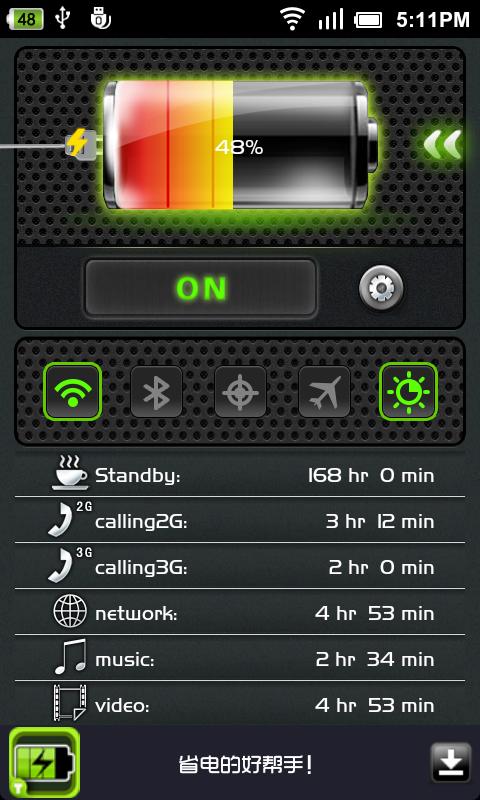
Battery Doctor is a free and feature-packed battery monitor and energy saving tool for mobile devices. Battery Doctor allows users to quickly look up battery charge status as well as track down what apps and processes are draining battery life. You can quickly toggle power-hogging settings from within the app and its widgets, such as brightness, WiFi, GPS, Bluetooth and mobile data (though you should probably skip the Task Killer). A particularly useful feature is the ability to define power saving profiles and automatically schedule them, so that, for example, you can set the phone to automatically switch to airplane mode when you’re asleep or in class. The iOS version also includes some power optimization tools, though not as refined as the Android version, while also including a weather forecast.

10 Best Apps to improve your Android smartphone Battery life

2. DU Battery Saver & Widgets

Another popular battery monitor and power saving Android app is DU Battery Saver & Widgets, which comes with a convenient control widget and one-touch power optimization. The app comes with convenient smart presets for saving battery life, with the option to create user-defined modes, as well as a battery charge-state monitor and tools for viewing app power usage. A Pro upgrade unlocks more advanced features, such as the ability to schedule the power-saving presets, an automatic task killer and the option to tune the CPU frequency of rooted phones.

10 Best Apps to improve your Android smartphone Battery life

3. Juice Defender

While it is starting to show its age (last updated 2012), Juice Defender is still a Google Play Store favorite for many looking for a solid Android battery saving app. The app comes with convenient battery saving presets for one-touch power optimization, battery widgets, and mobile data and WiFi toggles. Upgrades to the Plus version provide additional features such as location-aware WiFi toggling and additional power saving profiles, with the Ultimate version even more automation and controls.

10 Best Apps to improve your Android smartphone Battery life

4. Battery Save Booster

Battery Save Booster is a battery saving app which provides an easy way to increase the battery life of your Android based device with only one click. It does this by managing background processes and the Internet connection in an efficient manner. It even provides you with a notification about the battery level.

10 Best Apps to improve your Android smartphone Battery life

5. 2 Battery – Battery Saver

2 Battery has some handy features that can help you save your battery. It does this by employing a smart algorithm to turn the Internet connection on/off. It can also reduce the screen brightness by using a built-in screen filter and even turns off the screen automatically when you put the phone into the pocket or on the table. You can also try the PRO version of 2 Battery for 24 hours and even get a refund if you’re not satisfied.

10 Best Apps to improve your Android smartphone Battery life

6. COMODO Battery Saver

The COMODO Battery Saver extends your battery life by allowing you to switch your device to power saving mode and by letting you disable power hungry applications easily with a single tap. COMODO Battery Saver also provides you with details on which application(s) uses the most power of battery. The app can even alert you when the battery is fully charged.

10 Best Apps to improve your Android smartphone Battery life

7. Snapdragon Battery Guru

Snapdragon Battery Guru is a battery life extender which automatically learns how you use your smartphone and adjust the smartphone settings on the basis of learning. After a 2-4 days introduction period, Snapdragon Battery Guru learns the behavior of the user and then notifies them that it is ready to increase the battery life of device. For further details, you can visit the official website.

10 Best Apps to improve your Android smartphone Battery life

8. One Touch Battery Saver

As the name suggests, by using One Touch Battery Saver, you can enable Power Saving Mode with a single touch. The Power Saving Mode deactivates your WiFi, GPS location system, Bluetooth, vibration, background light and activates Silent Mode to increase the battery life.

10 Best Apps to improve your Android smartphone Battery life

9. Deep Sleep Battery Saver

Deep Sleep Battery Saver introduces a unique concept of Deep Sleep Mode. This app constantly puts your phone in a Deep Sleep Mode, where 3G and WiFi are turned off and background apps are stopped. It allows the device to wake up constantly at predefined intervals to download emails and other things that need to be updated. There are 5 predefined modes and you can also define customized mode.

10 Best Apps to improve your Android smartphone Battery life

10. Bataria – Battery Saver

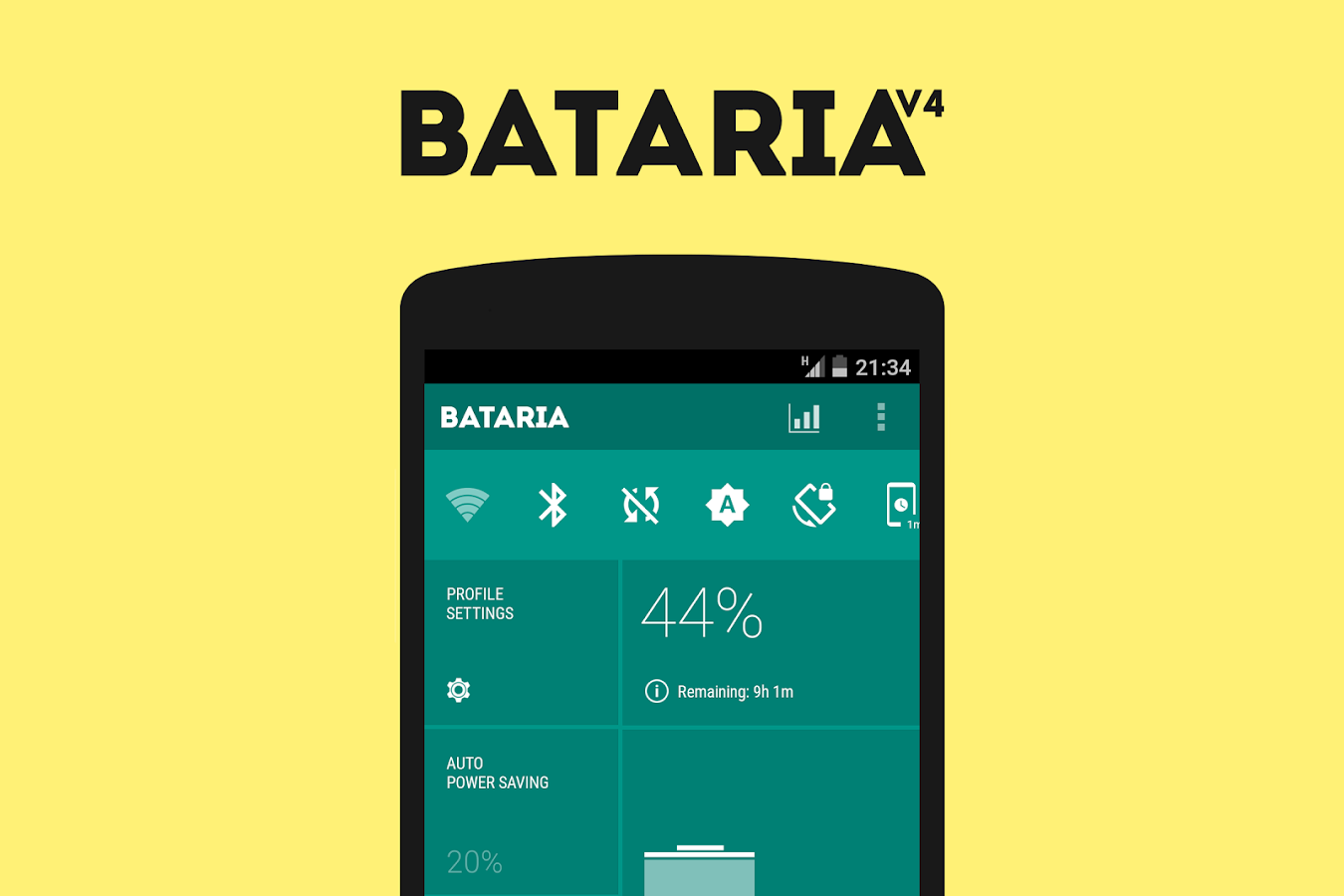
Bataria – Battery Saver is a battery saving as well as a task managing app. It activates a Power Save Mode that turns off all power hungry resources such as Background Data Sync., WiFi, Bluetooth and Display Brightness to extend battery life.

10 Best Apps to improve your Android smartphone Battery life

Also See


Adblock Browser for Android Beta

With over 300 million downloads, Adblock Plus is the world’s most popular ad blocking extension . The company behind it, Eyeo GMBH, has just released a standalone browser for Android that fully integrates its ad-blocking features.

Adblock Plus is one of the most popular desktop browser extensions, but so far it hasn’t had a real presence on mobile. That starts to change today with the beta release of Adblock Browser, an Android browser that blocks ads by default. The app is built off of Firefox’s open-source Android browser, so you know more or less what to expect if you’ve used that before.

Adblock Browser for Android Beta

You can Downlaod Adblock Browser for Android Beta from below :

                                         Download Here

In a brief test of Adblock Browser on a Galaxy S6, the app appeared to remove all ads that should have been displayed on each page. Its overall performance, however, appeared to be a bit worse than Chrome’s, often stuttering while scrolling. Given that Adblock’s primary purpose is to remove annoyances from the web, performance issues may prevent it — at least for the moment — from being as useful as it’s meant to be, discouraging its use. Site owners, certainly, would appreciate that.

Installing Adblock Browser isn’t as straightforward as going into the Play Store, but it’s simple enough. Once you’ve joined Adblock Plus’ Google+ community page, you’ll be able to download the APK. You may need to disable some of Android’s security checks to install it, but you’re basically good to go from there.

Adblock Plus already offers an extension for Firefox’s Android browser, but it says that the extension is “extremely limited” compared to the desktop. “Building our own browser gives us a lot more freedom to integrate adblocking as a first class feature that’s easy to understand and configure,” Adblock Plus’ Felix Dahlke writes in a blog post. Dahlke says that the goals of the beta are to fix bugs and improve usability. Eventually, Adblock Plus would like to give users more options when it comes to how ads are removed.


Also See

10 Best Photo Editor Apps for Android

In olden days if you want to make changes to your photos, you have to transfer your pics to PC and you need special softwares for that purpose. Now there is no necessity of transfering photos to your PC for editing images. Now a days we have so many best photo editor softwares. We can simply download these photo editing softwares from Google PlayStore. Here we are going to give you the best photo editor apps for android devices to make your snapshot into a memorable pic of your life.

10 Best Photo Editor Apps for Android

1. PicsArt – Photo Studio

PicsArt is one of the most popular photo editing apps with over 100 million installs on Android market. It is a one-stop app that consists of photo editor, drawing tool, photo grid, college maker and much more.

This app provides tons of options for photo manipulations and a wide variety of effects, masks, borders, stickers, text tools, clipart graphics, callouts, frames, enhancement tools and more. Users can also make collages, photo grids, and draw on their photos. It is a perfect platform to unleash your creativity via photo editing.

PicsArt has its own social networking service which allows you to share your images with the largest mobile art-based community. You can create a PicsArt profile and use the in-app purchase system to get rid of ads and download various stickers to be inserted in your pictures.

10 Best Photo Editor Apps

2.VSCO Cam

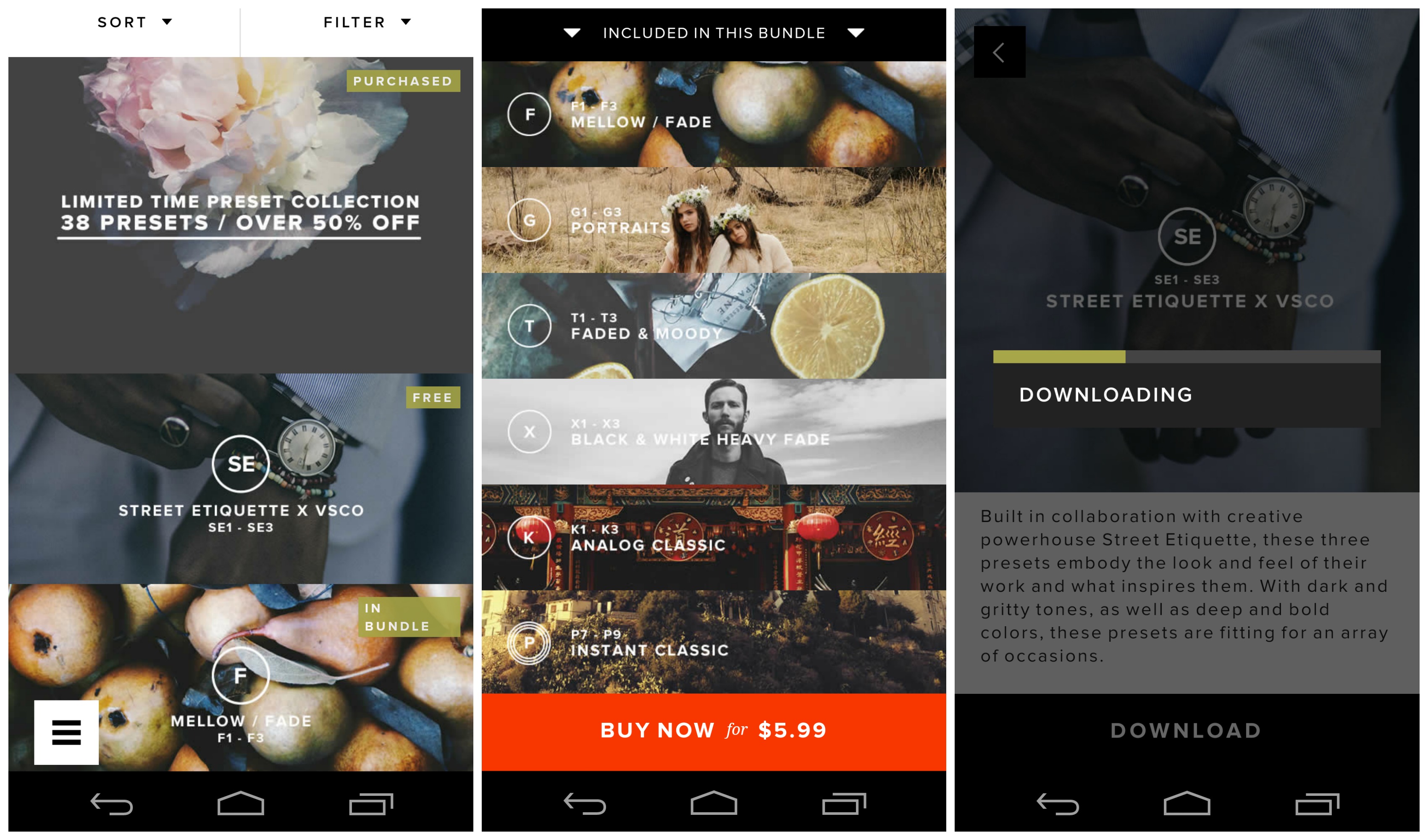
VSCO (pronounced visco) Cam started out as a paid app but went free last year. It is one of the best photo editing apps on iOS and Android if you want advanced controls. VSCO Cam has a great collection of filters, which are better than those on Instagram. While some filters are free, you’ll have to pay for many others. Don’t let this dissuade you from trying the app, as the free filters are good enough for most people.

VSCO Cam’s editing tools include brightness, contrast, saturation, tint, crop, rotate, sharpness, highlights, shadows, among a few others. As evident, it has enough tools for professional photo editing.

10 Best Photo Editor Apps

3. Snapseed

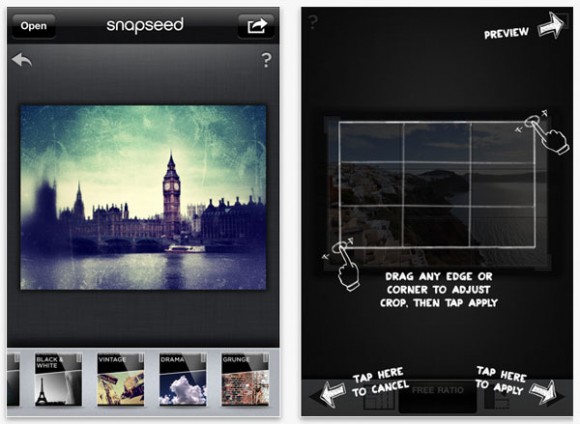
Snapseed is a great photo editing app created by respected software developer, Nik Software Inc., which is a popular plugins manufacturer for Adobe Photoshop and Lightroom.

With the app, you can easily enhance and transform your photos using its incredibly advanced features like auto correct, selective adjust, and tune image feature.

The Auto Correct feature enhances colors, exposure and contrast in a single tap. The Selective Adjust feature lets you highlight and focus specific objects or areas and the Tune Image feature tweaks brightness, shadows, white balance, saturation and other effects. Other features of Snapseed include frames, texture and tone adjustment, sharing via email, and more.

Snapseed used to be a costly app, but since Google acquired Nik Software, Snapseed is now free of charge and has been integrated with Google+.

10 Best Photo Editor Apps

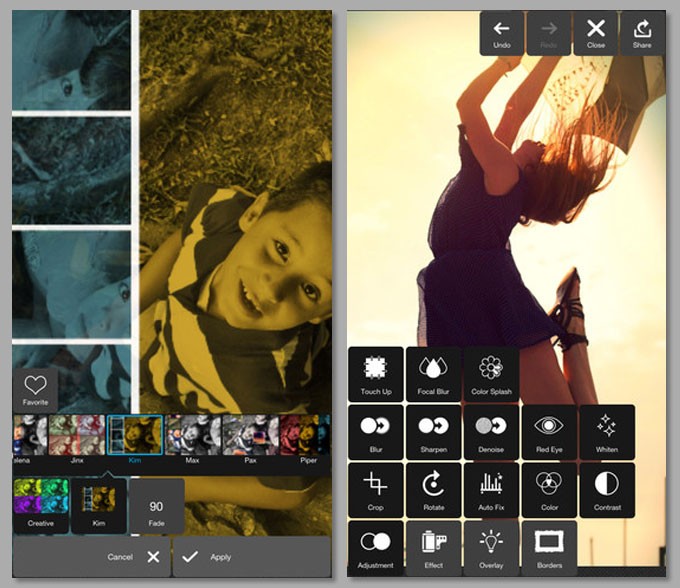
4. Pixlr Express

Pixlr Express is one of the most powerful photo editing app developed by Autodesk Inc and is available for free. This app lets you quickly crop, resize, and fix any picture, remove red-eye, and whiten teeth.

It has enough tools for power users too, coupled with Photoshop-like effects such as pencil, poster, halftone, water color, sketch, among others.

Pixlr Express is equipped with a lot of interesting features. You can create photo collage with so many cool effects, such as focal blur, denoise, and more. Its Auto Fix feature is the most interesting as with just one click the app automatically adjusts brightness, color, exposure, contrast, etc.

10 Best Photo Editor Apps

5. Instagram

Apart from being one of the world’s most popular photo communities, Instagram is a fast, hassle-free photo editing app. Its filters are adequate for most people, but not for power users. If you are into black-and-white photography, you might want to try other apps because Instagram’s filters aren’t the best.

10 Best Photo Editor Apps

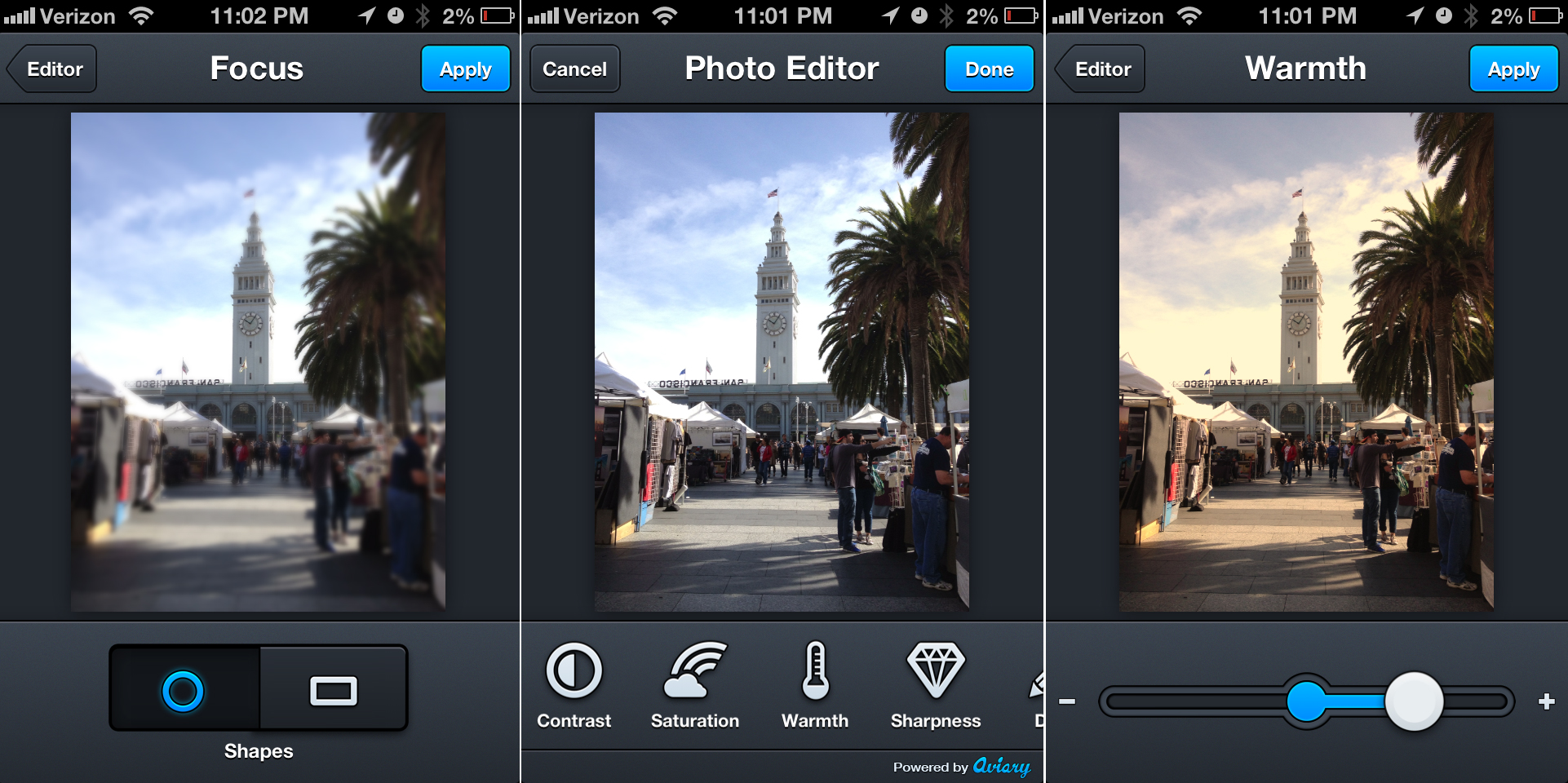
6. Photo Editor by Aviary

Aviary is another powerful smartphone photo editor that allows users to quickly edit their photos using its one-tap auto enhance tools.

Aviary also features a set of Cosmetic Tools, which gets rid of flaws and blemishes, whitens teeth, and removes red eye. Whether it is dust on your camera’s lens or flash burning out a small portion of the image, Aviary is a good app for image correction.

To make the app easier to use, users can also customize their screens by dragging and dropping their favorite toolsets.

10 Best Photo Editor Apps

7. Flickr

Like Instagram, Flickr has a great community of photographers. Unlike Instagram, however, Flickr has advanced editing tools, which is better for enthusiasts. Another advantage is that Flickr doesn’t restrict you to square photos. Its built-in filters are fairly good too. The only major negative is that Flickr’s Windows Phone app isn’t as good as iOS and Android variants.

10 Best Photo Editor Apps

8. Pixlr-o-matic

Pixlr-o-matic is a fun photo editing app that comes with a variety of effects, filters, borders, and overlays. This app is best known for its variety in photo filters. With its three category of photo filters, light filters, and photo frames, Pixlr-o-matic allows you to completely transform your images.

The only negative things is its effect applying approach. The app won’t let you apply more than one filter from each category which you can workaround by saving the photo and load again. But, it’s still a very good photo editor and doesn’t bother you with any kind of ads.

10 Best Photo Editor Apps

9. Befunky Photo Editor

Befunky is among the best photo editing apps for Android phones. It provides all the appropriate editing tools along with some additional effects, which you won’t find in other Android camera apps.

BeFunky also provides various photo frames like Polaroid, Filmstrip, Halftone, to give your photo a stylish look.

The interesting feature of the app is that you can add unlimited number of effects to your photos to make them look however you want.

Befunky Photo Editor also supports tablets, and is available in free as well as paid version.

10 Best Photo Editor Apps

10. Picsay

Picsay is an award winning mobile photo editing app that combines basic editing features and a few extra perks to produce interesting photos. Some of them are Distort, Dizziness, Invert, Pixelate, Rainbow and Spotlight.

Along with these features, Picsay also allows users to add Word Balloons, Texts, and Stickers. The ability for creating word balloons is something which really sets the app apart from other apps.

Moreover, you can apply contrast, brightness, exposure, contrast, temperature, and artistic effects as well.

Picsay is available in both free and paid version on Google play store. In the paid version, you get additional content like more filters and more actual features like pressure-sensitive drawing, removing red-eye, and others.

10 Best Photo Editor Apps


Also See